- Published at
Announcing Thel: a terminal app for the AI coding agents era

- Authors
-
-

- Name
- Joaquim Rocha
-
Table of Contents
Today I am publishing Thel, a terminal app with multiplexing powers, built for AI coding agents and other long-running sessions. It is open source (Apache 2.0) and you can find it on GitHub.
Why another terminal app?
Ever since I started at Amutable, I have been using Claude Code every day. And with it came a problem I did not have before (as I used Copilot on VSCode): I was getting flooded with terminal sessions. At any point in the day I would have GNOME Terminal windows and tabs everywhere, each with an agent working on something, or a dev server running, or some long task I did not want to lose. Finding the right session, or even remembering what each one was doing, was becoming a real time sink.
Of course, some may immediately think “just use tmux”. I know tmux exists, and I know it is great, but I have used it and it felt like something was still missing for my use-cases. Coding agents change how we use terminals: sessions live longer, there are more of them in parallel, and you want to know when an agent needs your attention without staring at it.
Another change was in how much I use git worktrees. I had used them before, but I mostly still relied on branches and just switched between them. That stops working when you have several agents coding in the same repo at the same time, as each needs its own checkout to work on. So worktrees went from a feature I rarely touched to a central part of my daily workflow, and I wanted them to be the starting point for any feature I work on.
With all the above, I did what any reasonable developer with access to too many terminals would do: I created one more project. Hence Thel.
What Thel does
Instead of giving you a list of features in bullet points (you can get that on Thel’s website), I will describe them a bit more around why I built them, and how they help with the problems I described above.
Graphical User Interface
I contemplated building Thel as a text-UI. TUIs are back in fashion again since the rise of AI coding agents. And this seemed like an opportunity for me to see how my long experience in building GUIs would translate to a TUI, but I still felt that a GUI was the right choice for my needs. So Thel is a GUI app. And even though I have only used it on Linux, I wanted it to be cross platform and to use a stack that I am familiar with from my Headlamp experience, so I built it with Tauri + React (TypeScript + Shadcn UI).
Keyboard-centric GUI
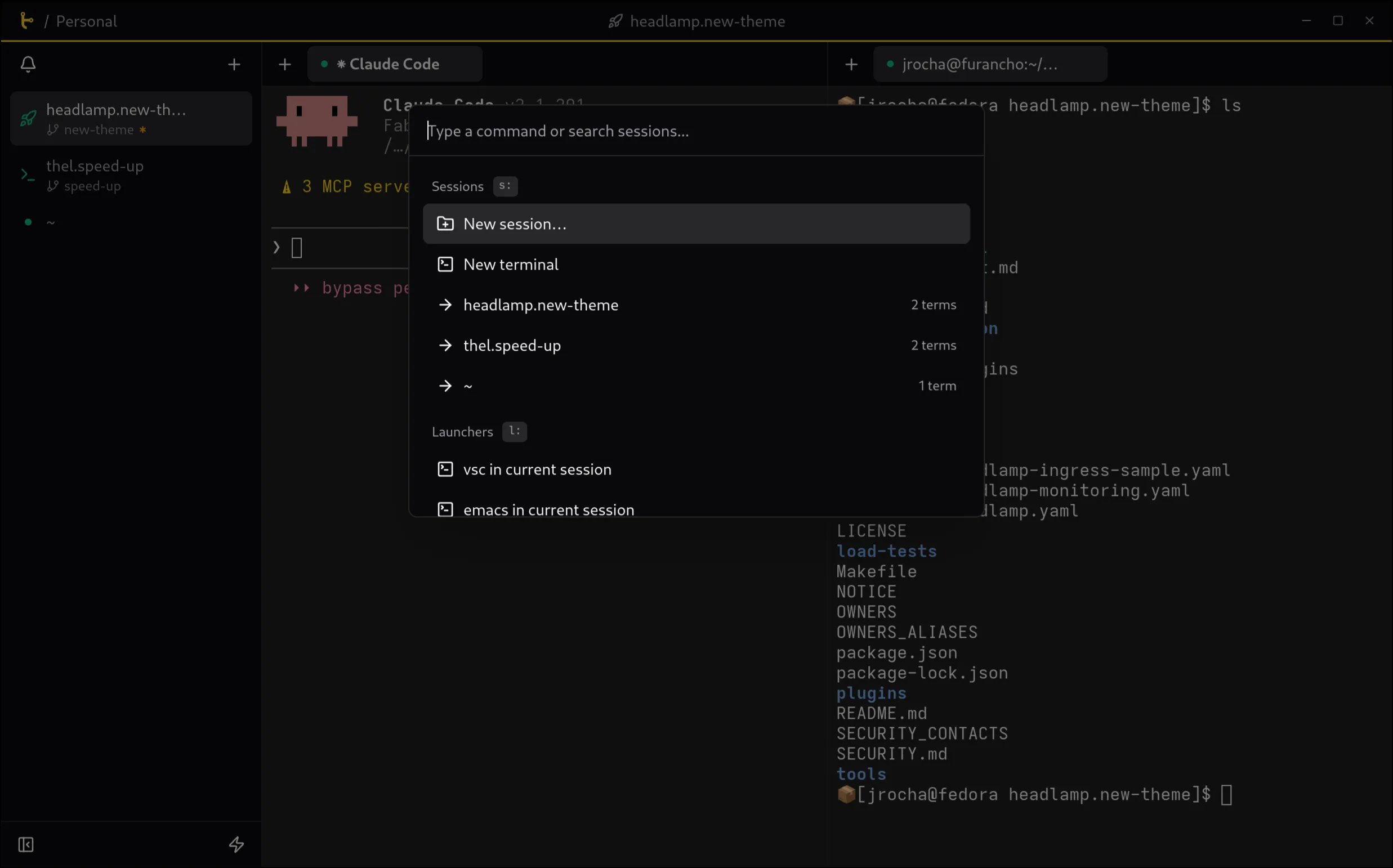
An important part of terminals and terminal tools, especially for advanced users, is the ability to use them without a mouse. Thus Thel is designed to be keyboard-centric, with a command palette and fully rebindable shortcuts. And I hate it when I have to go somewhere special in an app (like a shortcuts dialog) to learn which shortcut is bound to which functionality, so in Thel I wanted every mouse-accessible feature to display the shortcut on a tooltip when hovered.
I think the shortcut coverage is really comprehensive and if there is something missing, it should be added.
Sessions
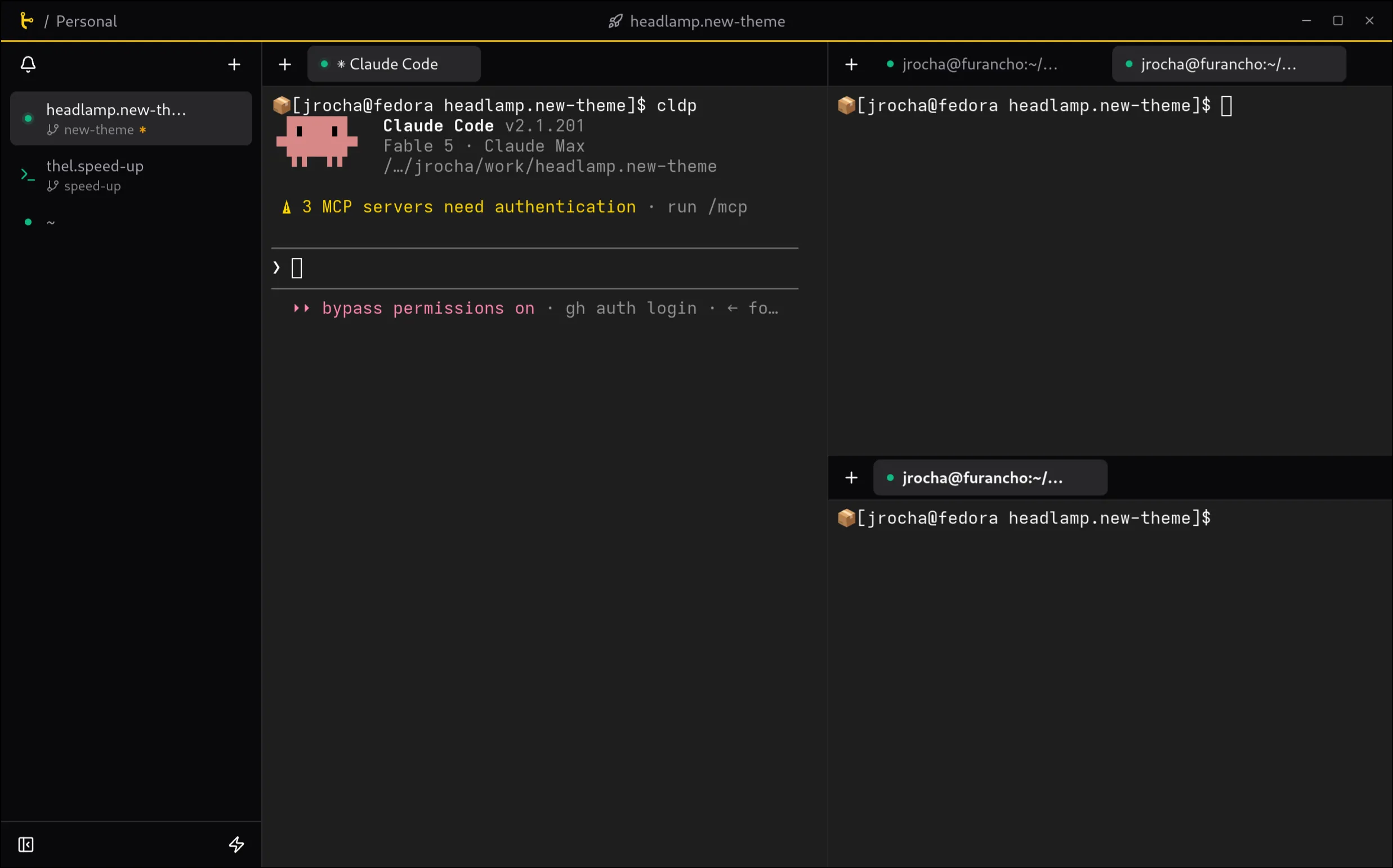
Thel has the concept of sessions. A session is bound to a directory, and can have multiple terminal tabs and split panes. Each session is independent from the others, so you can have multiple sessions open at the same time, each with its own layout and set of terminals.
Persistent sessions
IMO, the best part of tmux is not that you can split panes and have multiple terminals in one window, but that you can detach and reattach to a session. Thel has this concept built in as well. In fact, I didn’t want to build something that tmux is so good at, so in a very early version of Thel I actually used tmux as the backend for the terminal handling. But I found out that it came with a few drawbacks and the hacks started stacking up until I decided it was simpler for Thel to have its own session management.
If, like me, you keep your computer running for weeks, having sessions that persist when you reopen the app is a must.
Git worktree integration
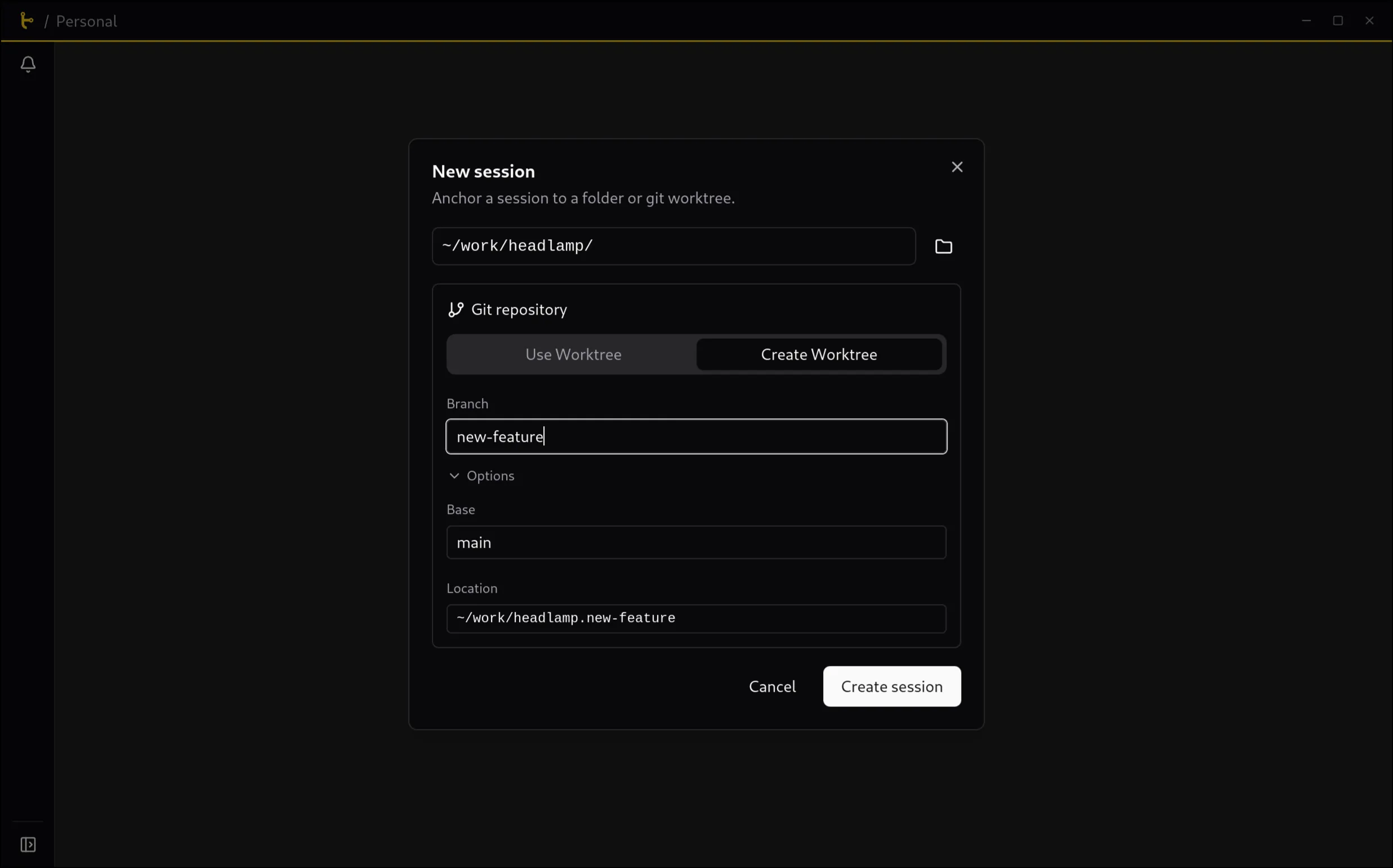
When creating a new Thel session, it asks which folder to anchor the session to. When that folder is a git repo, it will also ask if you want to create a new worktree for the session. Likewise, when deleting a session, it will ask if you want to delete the worktree as well.
Even though I was already managing git worktrees from the command line, this has allowed me to have a much better discipline in how I both create and remove them.
Status
Sessions have a status, which indicates whether the session has a running command/agent, if one of these has finished, or if the session is idle. This is useful when you have multiple sessions open and you want to have a quick overview of what they are doing.
By default, these statuses are shown as a dot on the session’s tab, pulsating while a command is running, and turning into a blue dot when the command finishes. However, and even if renaming a session is available as well, I quickly felt the need to have icons instead of those dots. So sessions can be assigned an icon. I ship a very limited list of icons, and while I experimented with adding many more icons, I didn’t want to bloat the binary with that, so instead I added the ability to load or paste an SVG icon. That dialog has links to Iconify and Lucide icons, so it’s really easy to just copy and paste an icon from those sites.
Terminal Tabs + Split Panes
By default, each session opens with a single terminal tab. This tab can be configured to be any launcher (more on that later), and you can create more tabs, split the panes horizontally or vertically, and move tabs and panes around. While persistent sessions do quit if Thel’s daemon is stopped (e.g. when the computer is rebooted), the layout of the session is saved, so when you close and reopen it, it will be restored.
Launchers
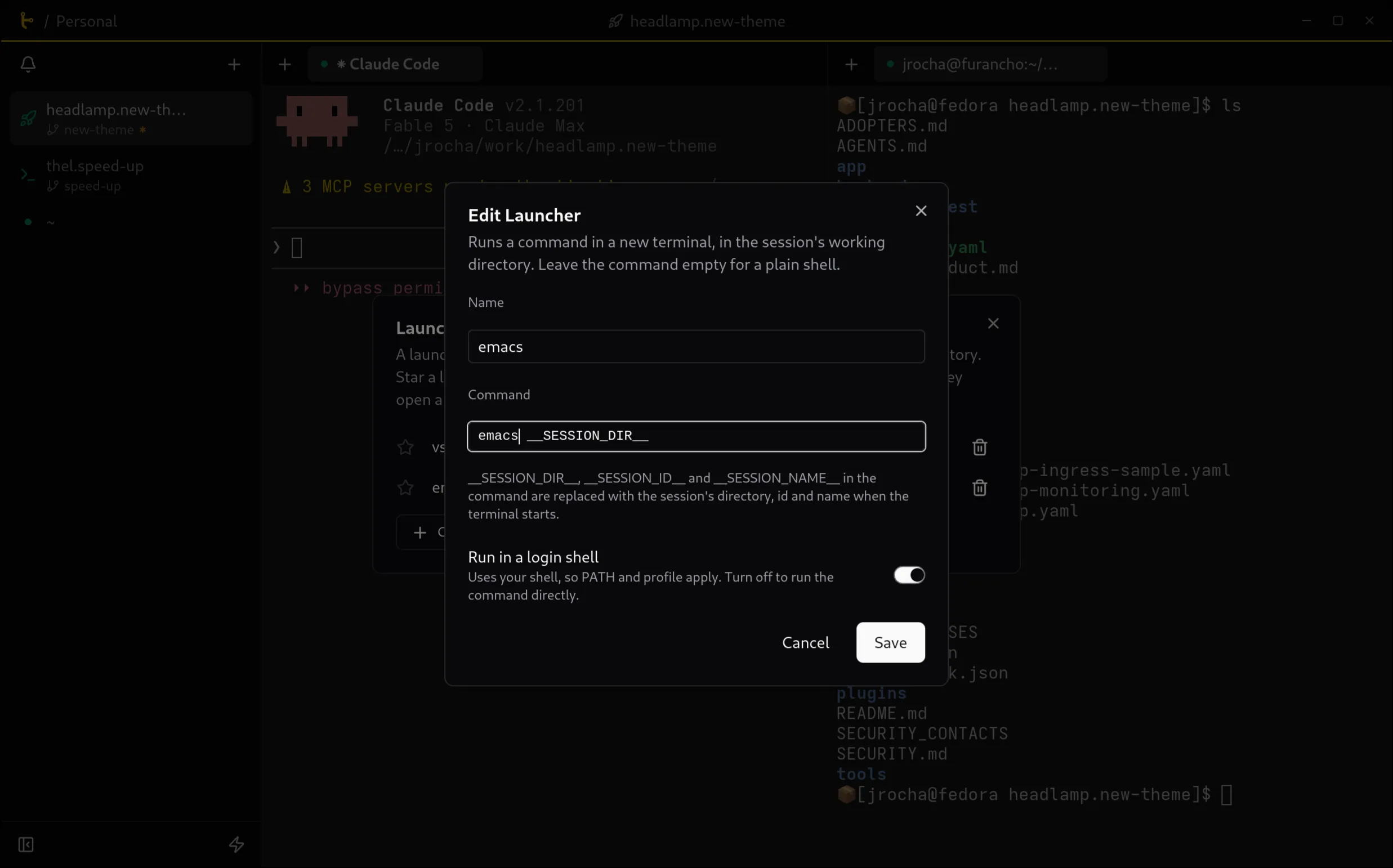
Sometimes, depending on the project I am working on, I want to use a different distrobox, or I want to open VSCode on the git worktree that is associated with the session. For helping with that, Thel has the concept of launchers, which are commands that can be run from the UI. They can be launched as a regular command, or as a shell command, in which case it will run in a terminal tab. Launchers can be configured to use special variables associated with the session, like the session dir, id, or name. While I want to make this more flexible (I imagine it should be nice to have different launcher variants when a session is re-attaching for example, so one could call “claude —resume SESSION_ID”), I think this is good enough for many.
Profiles
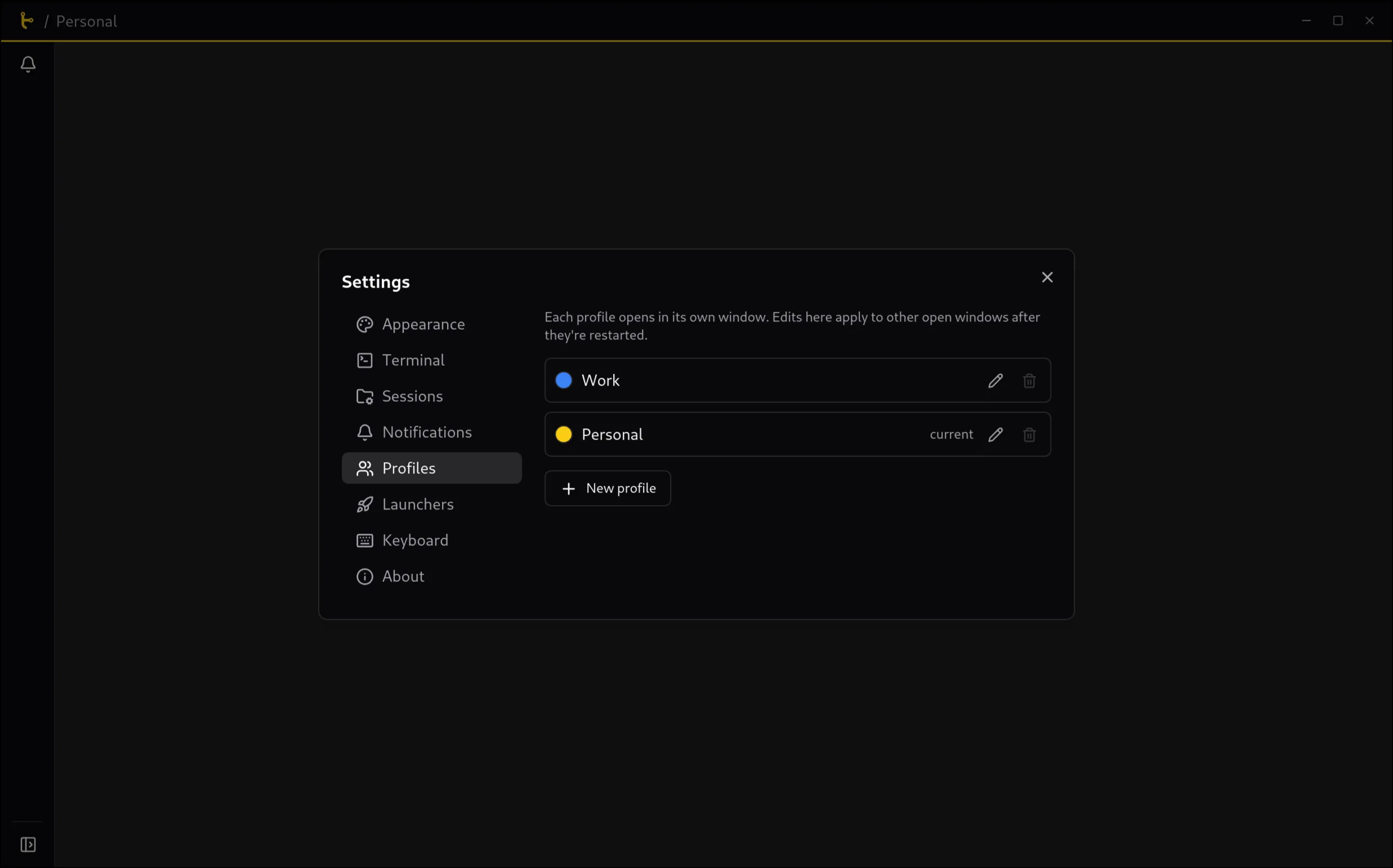
At some point, while working on Thel itself as a weekend project, I didn’t want to have my personal projects tabs mixed with my professional ones if I am only going to work on the latter during the week. So I added the concept of profiles, which are independent windows with their own name and sessions (and layouts). But those windows looked very similar, so I added the ability to configure an accent color. This is enough for me to quickly identify which window is which, and of course I can close a profile window completely when I don’t need it, and reopen it later with the same sessions and layouts.
Notifications
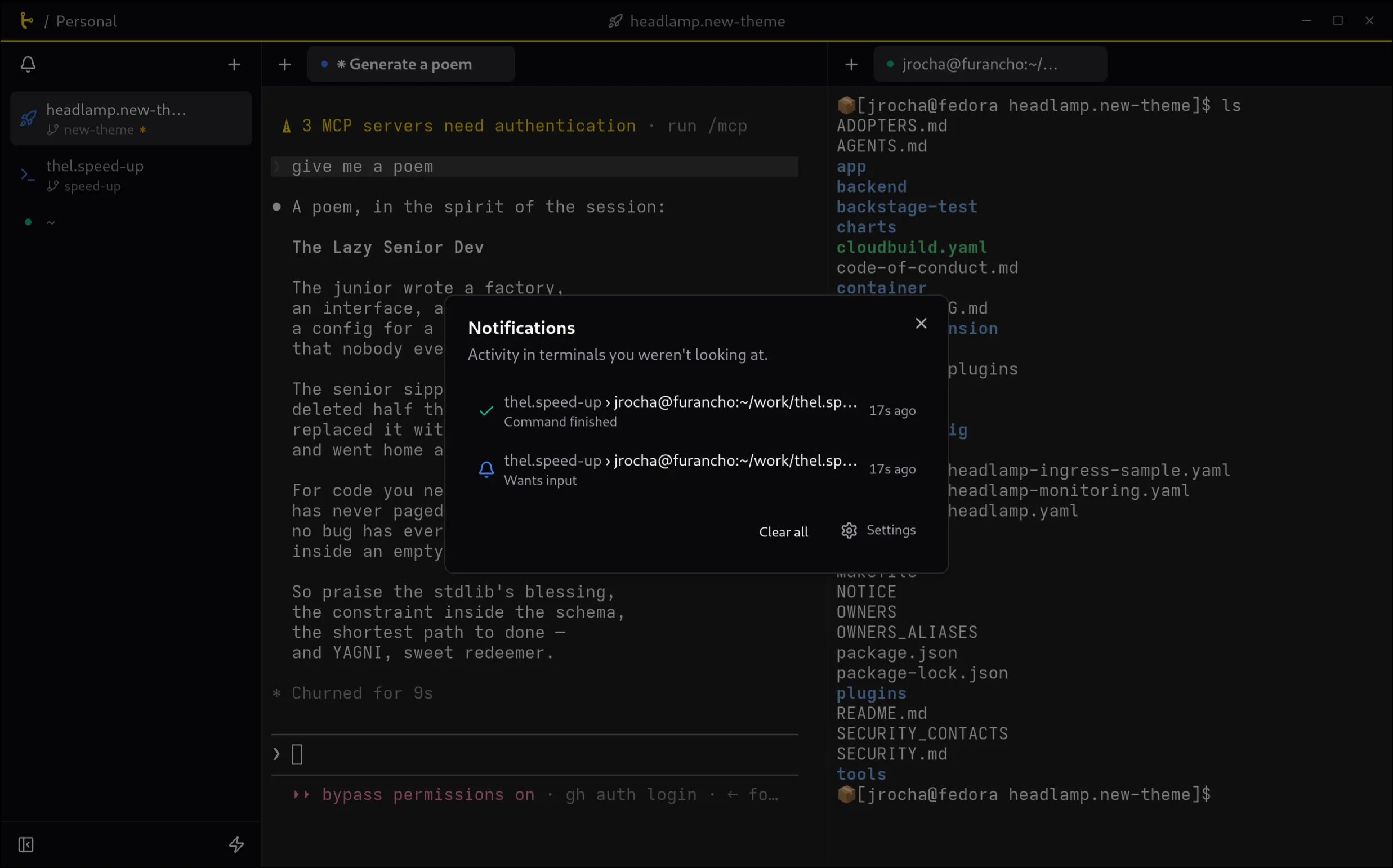
One of the most annoying things when working with coding agents is when they take a long time to finish a task, and somehow I don’t get a notification in GNOME about it. I did create a little script which called notify-send but that was somehow not well managed and I ended up with multiple (more like a gazillion) notifications, and clicking them didn’t really focus the terminal + tab as I wanted.
In Thel, implementing a way to automatically get commands to notify me when they finish also proved more complicated than I expected. There are a bunch of ways we can get a hint that a terminal needs attention, but I will spare you the details of that. Right now, Thel does try to guess when a terminal tab needs attention, but if the default way (checking for a bell char, for absence of activity after a timeout, and others) doesn’t work, you can just configure your own command or coding agent to call thel notify when it finishes. This triggers a notification which
takes me straight to the right window, session, and terminal tab in Thel. This has dramatically improved how I am aware of when Claude has finished work; whether that’s good or bad for my focus is another question :)
Thel published
I have been using Thel for my own work on a daily basis for a while now, fixing bugs along the way. It is in beta, and at the moment it is Linux only, since that is where I develop and use it. I would love to get it on macOS too (and I may actually do that myself), and on Windows as well, if someone wants to look at that.
A word of gratitude is due here: Thel exists in great part thanks to Anthropic’s Claude for Open Source program, which gives open source maintainers free access to Claude Max. Even though I created Thel for my own use, I am happy to have created a new open source tool, that I hope is useful for others, so quickly; thus, thank you Anthropic!
Also a big thank you to my wife Lena for creating Thel’s logo!
Thanks for reading, and happy multiplexing!